



Commure Dictation vs. Dragon Medical One
See where Commure Dictation goes beyond the Dragon you use today.
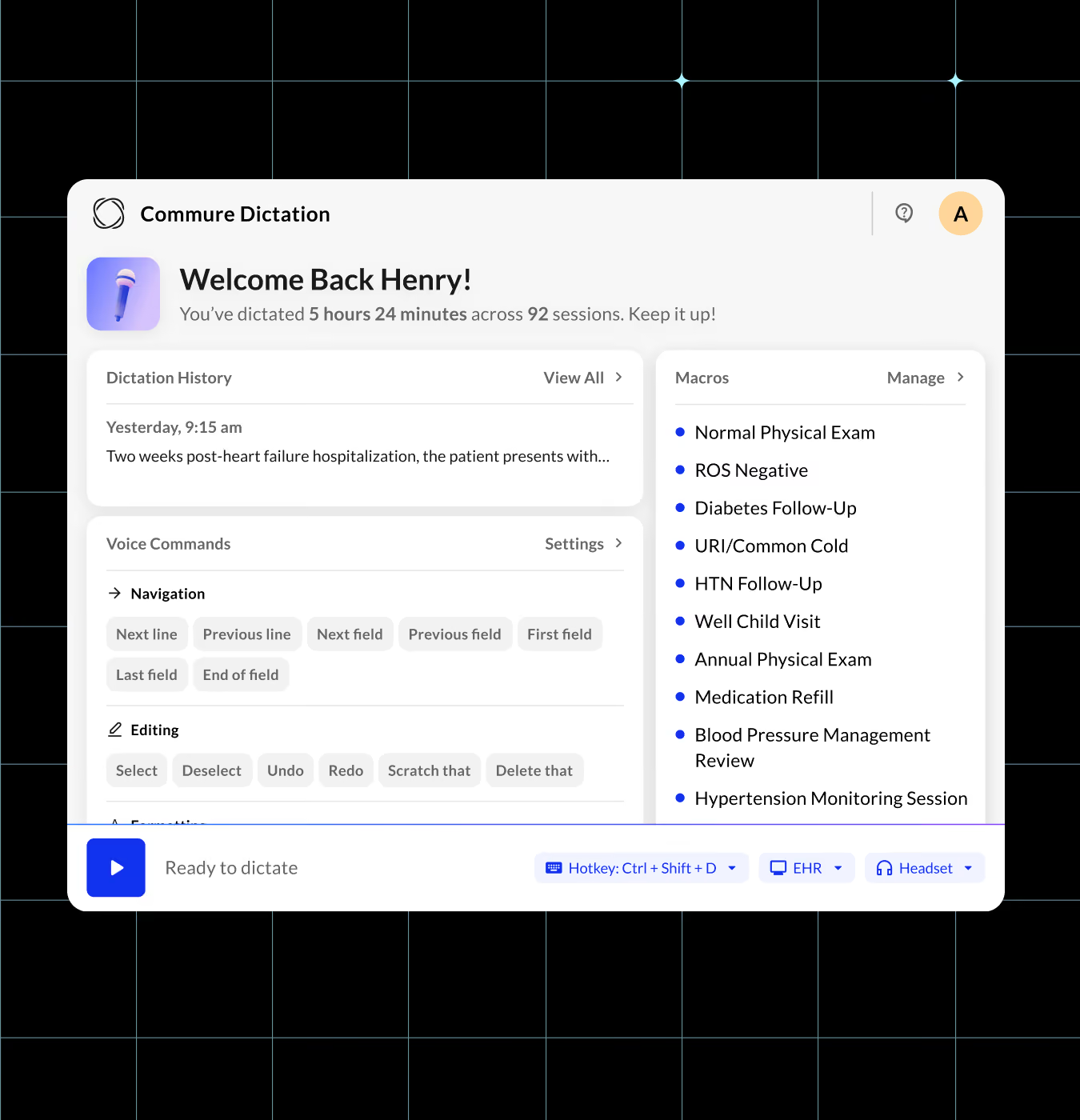
Keep the Dragon Workflow and Add AI Inside the Note
Commure Dictation fills notes, orders, referrals and inbox messages in 60+ EHRs and in any app with a text field, including email. Your Dragon macros, shortcuts and vocabulary come with you.
Commure Dictation runs on the same AI that has documented tens of millions of ambient encounters. Clinicians build sections from nested macros, rewrite text by voice and ask Commure Assistant without leaving the note. It costs a fraction of what legacy platforms charge.
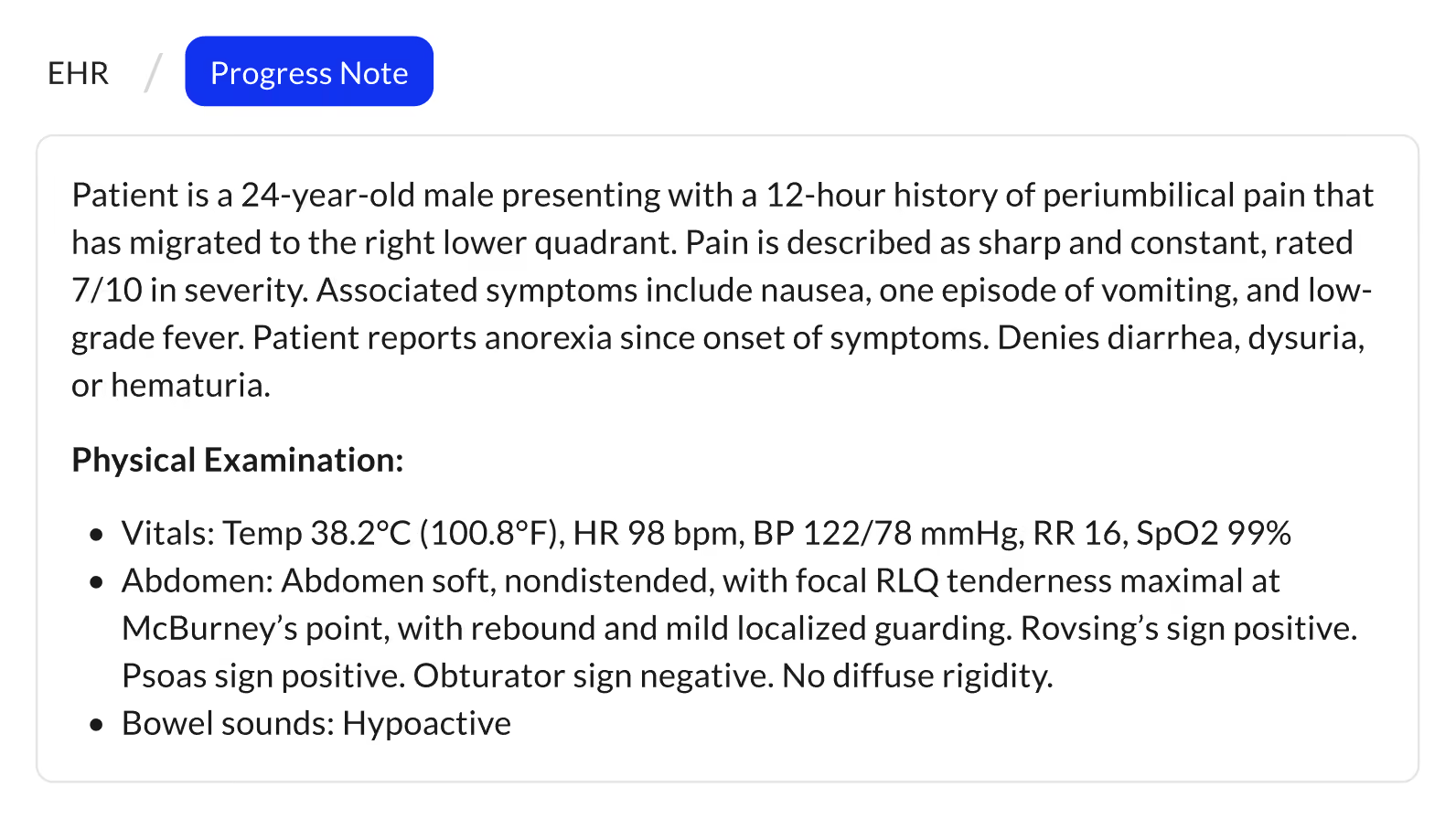
DICTATES ACROSS 60+ EHRs:





Why Dragon Medical One Users Are Looking at Alternatives
Dragon Medical One is Microsoft's cloud speech recognition for clinicians, formerly sold by Nuance. Microsoft now points its customers to Dragon Copilot. Older long-term service release (LTSR) builds will stop working after December 31, 2026.
Which Dragon are you on?
Dragon Medical One
Microsoft still sells it.
What changes for you
The same cursor dictation, plus AI editing and Commure Assistant.
Dragon Copilot
Microsoft's successor adds ambient documentation.
What changes for you
Dictate a whole template in one pass with Autofill instead of moving from field to field.
Dragon Professional v16
Microsoft's desktop product has no medical vocabulary.
What changes for you
Medically accurate transcription in EHR fields.
Dragon Medical Practice Edition
Nuance ended US sales in 2021 and support in 2022.
What changes for you
A supported replacement on Windows 10 or 11.
Commure Dictation vs. Dragon Medical One
Commure Dictation covers the Dragon features clinicians use daily and adds AI inside the note. Dragon Medical One leads on older hardware and Epic mobile apps.
Everything you use in Dragon today: cursor dictation, accuracy and speed, voice-driven editing, macros with placeholders, personal dictionary, voice commands, dictation box, Citrix and a phone microphone
Dragon details checked October 2026. Sources are at the end of the page.
Where Commure Dictation Goes Beyond Dragon
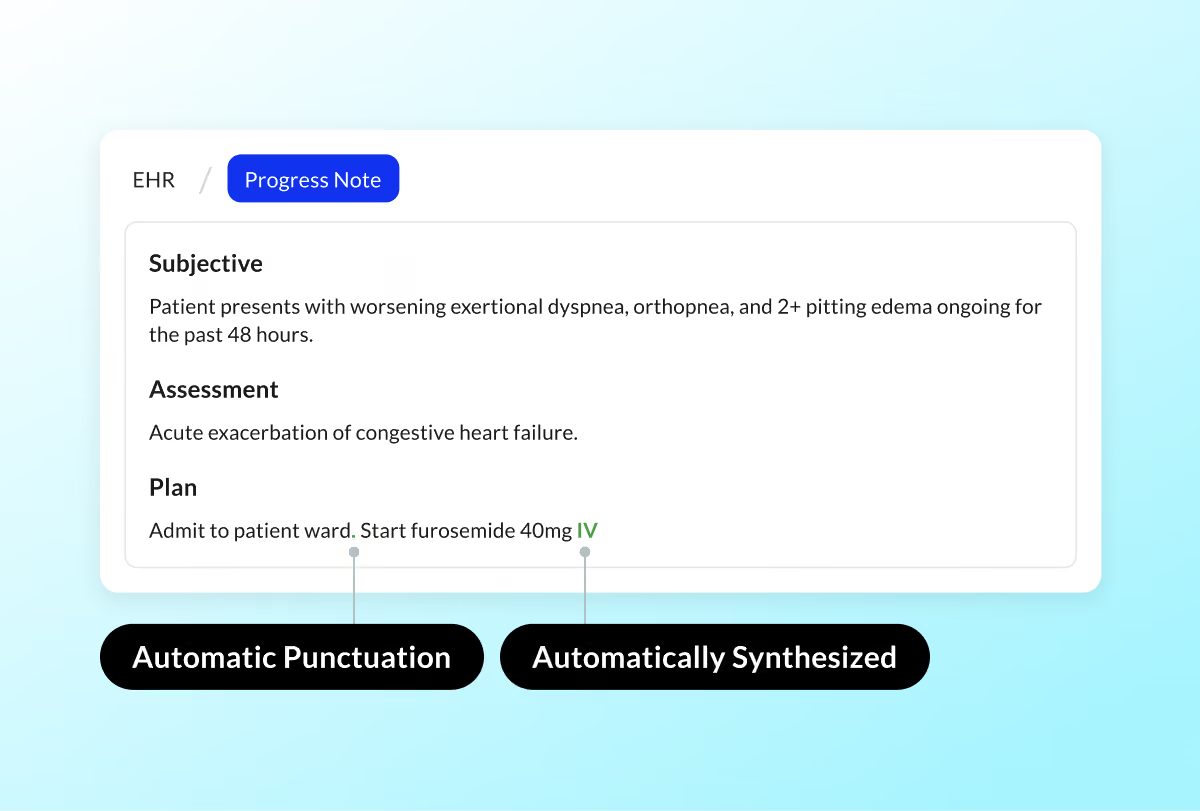
Commure Dictation adds AI inside the note: documents drafted from the visit, autofill, autocorrect, and a clinical assistant.
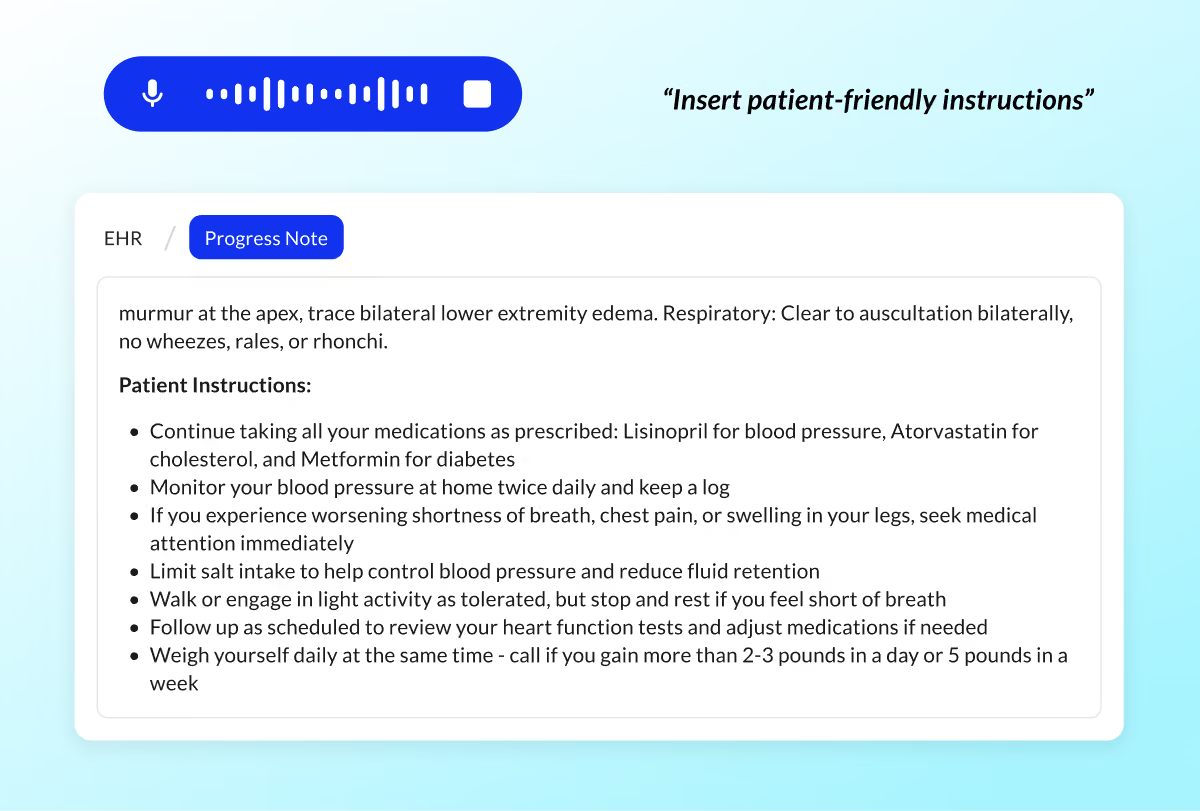
AI-generated content from visit context
Turn the visit into patient instructions, referral letters, after-visit summaries or prior authorization language with one command.
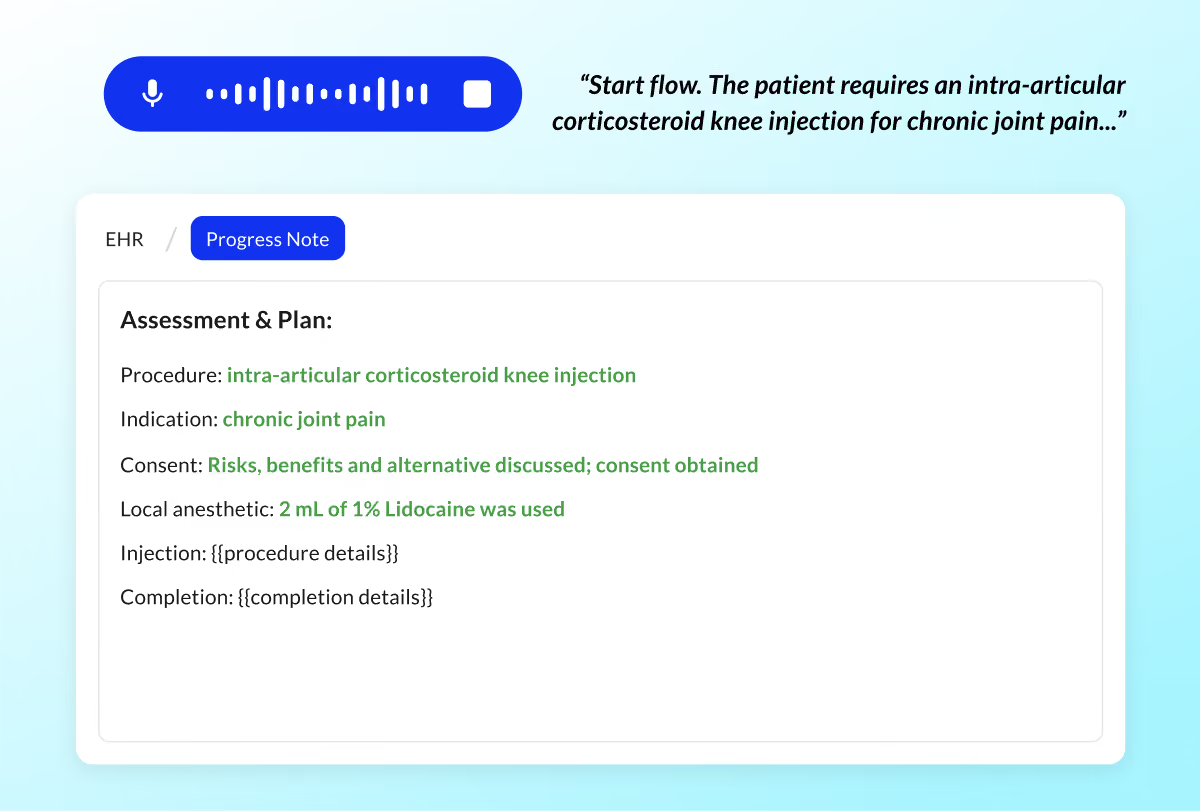
Autofill
Say "Start Flow" and dictate every value for a macro in one recording. Say "Stop Flow," and Commure Dictation fills each placeholder with the value that matches it. You don't need to say "next field" between values.
AutoCorrect
A silent AI layer fixes grammar and punctuation and learns from your edits. So a mistake you fix once doesn't repeat.
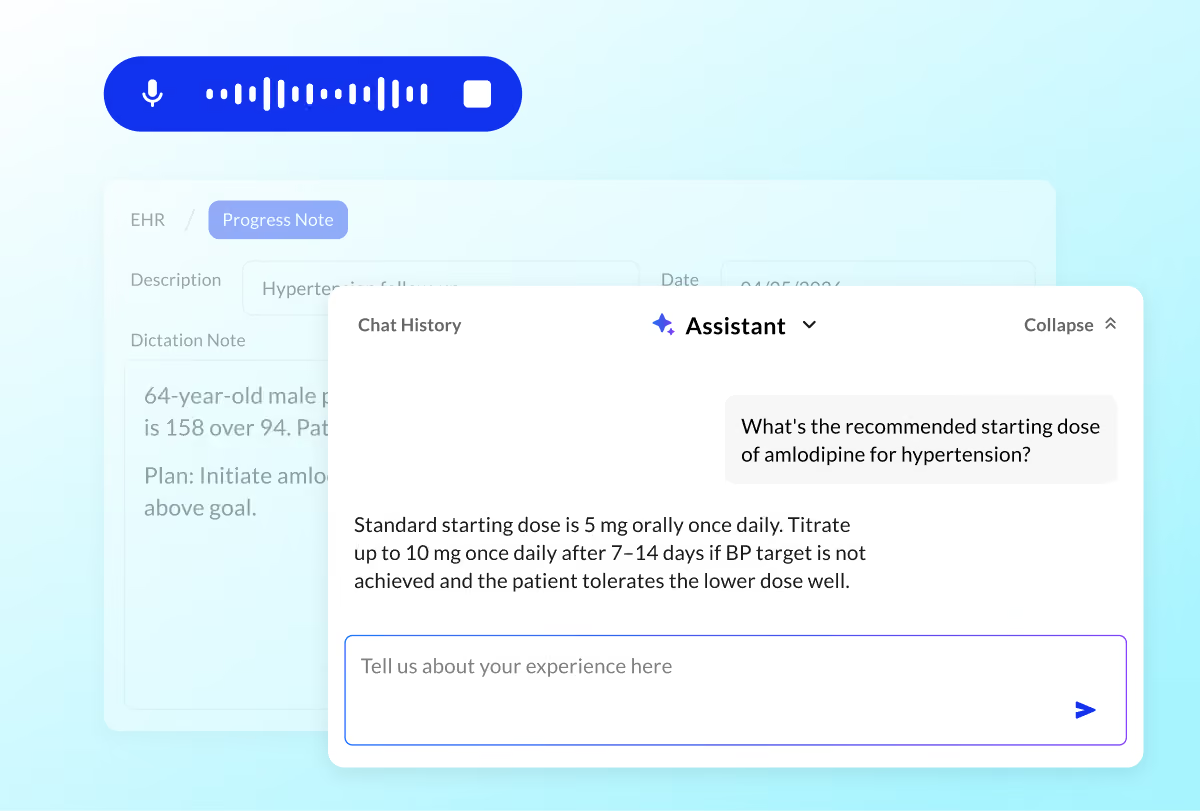
Commure Assistant
Ask about drug dosing, International Classification of Diseases, 10th Revision (ICD-10) codes, guidelines or differentials without leaving the note, by voice or text.
Clinicians work differently. Some prefer ambient, others dictate, many want both. A modern documentation platform should support all of it.
Switch from Dragon Without Starting Over
Your Dragon macros, shortcuts and vocabulary move over, and your microphones and Citrix setup keep working. Clinicians can use their phone as a wireless microphone through the Commure Dictation app and keep dictating as they move around the room.


PowerMic II, III, and 4 and Philips SpeechMike plug in and work with fixed button mappings. Custom Dragon mappings don't carry over but they can be reconfigured in the Commure app. A laptop microphone works as is. The Commure app also turns a phone into a wireless microphone.

Dragon auto-texts and shortcuts become Commure Dictation macros. Your vocabulary moves to your personal dictionary. Clinicians start with zero voice calibration.

Commure Dictation supports Citrix and virtual desktop environments with no new IT infrastructure.
How to Switch from Dragon
Four steps take a team from Dragon to Commure Dictation.
Inventory Dragon setup
List what clinicians use in Dragon: auto-texts, vocabulary, commands and PowerMic buttons.
Transfer Macros and dictionaries
Confirm Microphones and Citrix
Roll out Pilot first
What IT Needs to Deploy Commure Dictation
Windows 10 or 11
Commure Dictation installs on Windows 10 and 11 workstations.
Internet Connection
Commure Dictation needs an internet connection and keeps working on weak connections. Offline mode isn’t supported.
Citrix Workspace
IT adds the Citrix Workspace virtual channel where clinicians use Citrix.
Installation and Login
IT or Commure Ambient Support provides the installer, and each clinician signs in with a Commure login. For single sign-on, clinicians sign in through your organization’s single sign-on platform.
SOC 2 Data Centers
Data is stored in System and Organization Controls (SOC) 2 Type 2-compliant US data centers.
Encryption, HIPAA and Single Sign-On
Data is encrypted at rest with 256-bit AES and in transit with TLS 1.2 or higher. Commure designs its privacy and security practices to support HIPAA, and approved reviewers can request the SOC 2, HIPAA and penetration test reports from the Commure Trust Center.
Dictation and Ambient in One Platform
When you move off Dragon, you can add ambient documentation without a second vendor. A hospitalist can dictate a quick progress note and capture a complex admission with Ambient, from the same login.
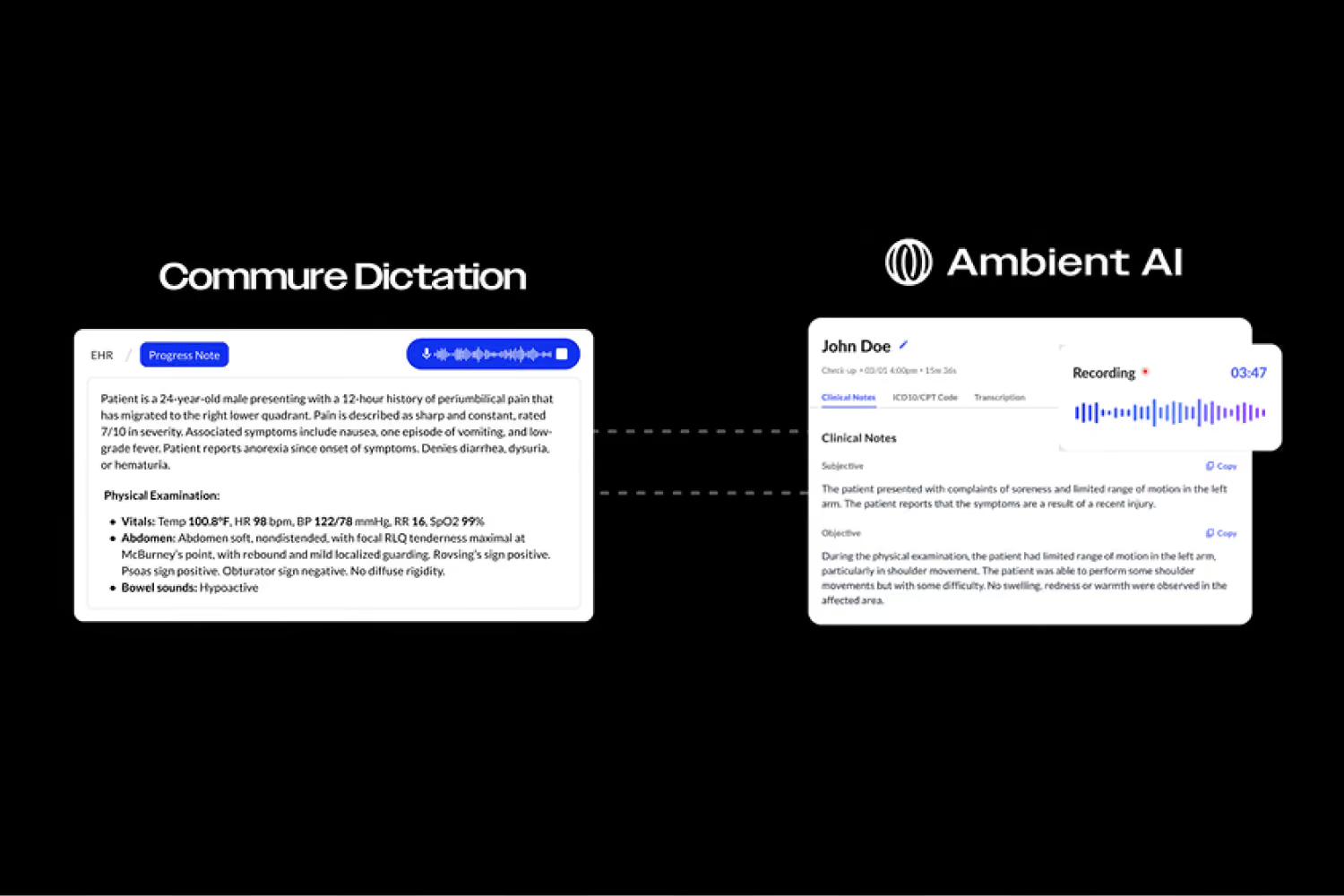
How the two work together
Clinicians sign in once for both products.
Macros, personal dictionary and documentation styles live in one shared library.
Your organization manages one contract, one vendor and one IT deployment.
Dictation and Ambient in One Platform
When you move off Dragon, you can add ambient documentation without a second vendor. A hospitalist can dictate a quick progress note and capture a complex admission with Ambient, from the same login.
Clinicians Who Fill Templates and Edit by Voice
Nested macros, voice-driven editing and Commure Assistant suit clinicians who build structured notes at the cursor.
Health Systems on Windows and Citrix
Commure Dictation runs on Windows 10 and 11 and in Citrix, and pairs with Commure Ambient under one vendor.
When Dragon Medical One Fits Better
Commure Dictation needs an internet connection and doesn’t support dictation in Epic mobile apps. Teams that rely on it are better served by Dragon Medical One.
See Commure Dictation Alongside Dragon
Compare the two on your own notes, in your own EHR.
Your clinicians dictate into your EHR on real notes.
Commure brings a sample of your Dragon macros across.
IT reviews your microphones and Citrix setup.
Sales prices the switch against your clinician count and renewal date.
Dictation and Ambient in One Platform
When you move off Dragon, you can add ambient documentation without a second vendor. A hospitalist can dictate a quick progress note and capture a complex admission with Ambient, from the same login.
Dragon Medical One
Monthly fee plus usage
Dragon Copilot Flex covers dictation, with ambient and AI features billed by usage. The Per User license bundles them.
By quote
Dragon Copilot Flex covers dictation, with ambient and AI features billed by usage. The Per User license bundles them.
Term length, renewal date, setup fees, and an ambient bundle all change the cost.
Frequently Asked Questions
The right Dragon Medical One alternative depends on how your clinicians use Dragon. For cursor dictation in EHR fields on Windows, Commure Dictation keeps your macros, PowerMic II, III or 4 and Citrix setup and adds AI editing and Commure Assistant inside the note. Clinicians who dictate in Epic mobile apps need a different option.
Yes. Commure Dictation works with PowerMic II, PowerMic III, PowerMic 4 and Philips SpeechMike. Clinicians can plug them in and start dictating. PowerMic buttons use fixed mappings in Commure Dictation, and custom button mappings from Dragon don't carry over.
Dragon Copilot is Microsoft's successor to Dragon Medical One. It combines dictation and ambient documentation. Its desktop app needs Windows 11. Commure Dictation runs on Windows 10 and 11. It shares one login and macro library with Commure Ambient, giving clinicians the option to dictate some notes and capture others ambiently.
Yes. Commure Dictation works with a laptop's built-in microphone or an external workstation microphone. The Commure app also turns a phone on the same Wi-Fi network into a wireless microphone, letting physicians dicate as they move around the room.
Yes. Commure Dictation supports Citrix and virtual desktop environments with no new IT infrastructure. IT installs the Citrix Workspace virtual channel where clinicians use Citrix. Clinicians then dictate into the EHR inside their Citrix session.
Yes. Commure Dictation works in 60+ EHRs and in any app with a text field, including email. Clinicians can also generate referral letters, patient instructions and after-visit summaries from the visit with one command.
Yes. Dragon auto-texts and shortcuts transfer as Commure Dictation macros and shortcuts. Dragon vocabulary moves to your personal dictionary. Your organization can use Commure's Fast Transfer Service to move its libraries. After the transfer, macros can nest, one voice command builds a multi-section note.
No, Commure Dictation needs zero voice calibration. Clinicians can dictate from their first session. A guided onboarding tour runs at first login. AutoCorrect learns from each clinician's edits so a mistake fixed once doesn't repeat.
Commure Dictation is sold to health systems and priced by quote. Dragon Medical One is sold through resellers on one to three-year terms. Check your renewal date before you compare. Include your clinician count and renewal date when you request a Dragon replacement quote.
Sources
- Microsoft, Dragon Medical One product page
- Microsoft Learn, Dragon Medical One requirements
- Microsoft Learn, Upgrade Dragon Medical One from LTSR
- Microsoft Learn, Install Dragon Copilot desktop
- Microsoft Support, Dragon Copilot quick start for Dragon Medical One users
- dragonmedicalsoftware.com, Dragon Medical One pricing
- Commure help center, Commure Dictation system requirements
- Commure help center, using your phone as a microphone
- Commure Trust Center
- Microsoft Learn, Dragon Copilot licenses
Quantitative WBC and neutrophil percentage results, with ANC calculated to support monitoring workflows.