




Ambient AI documentation for Cerner. From pre-chart to signed note.
Commure Ambient requires minimal IT lift. Available on web, mobile, and browser extension, it's fully self-contained and ready to use within your existing Cerner environment.

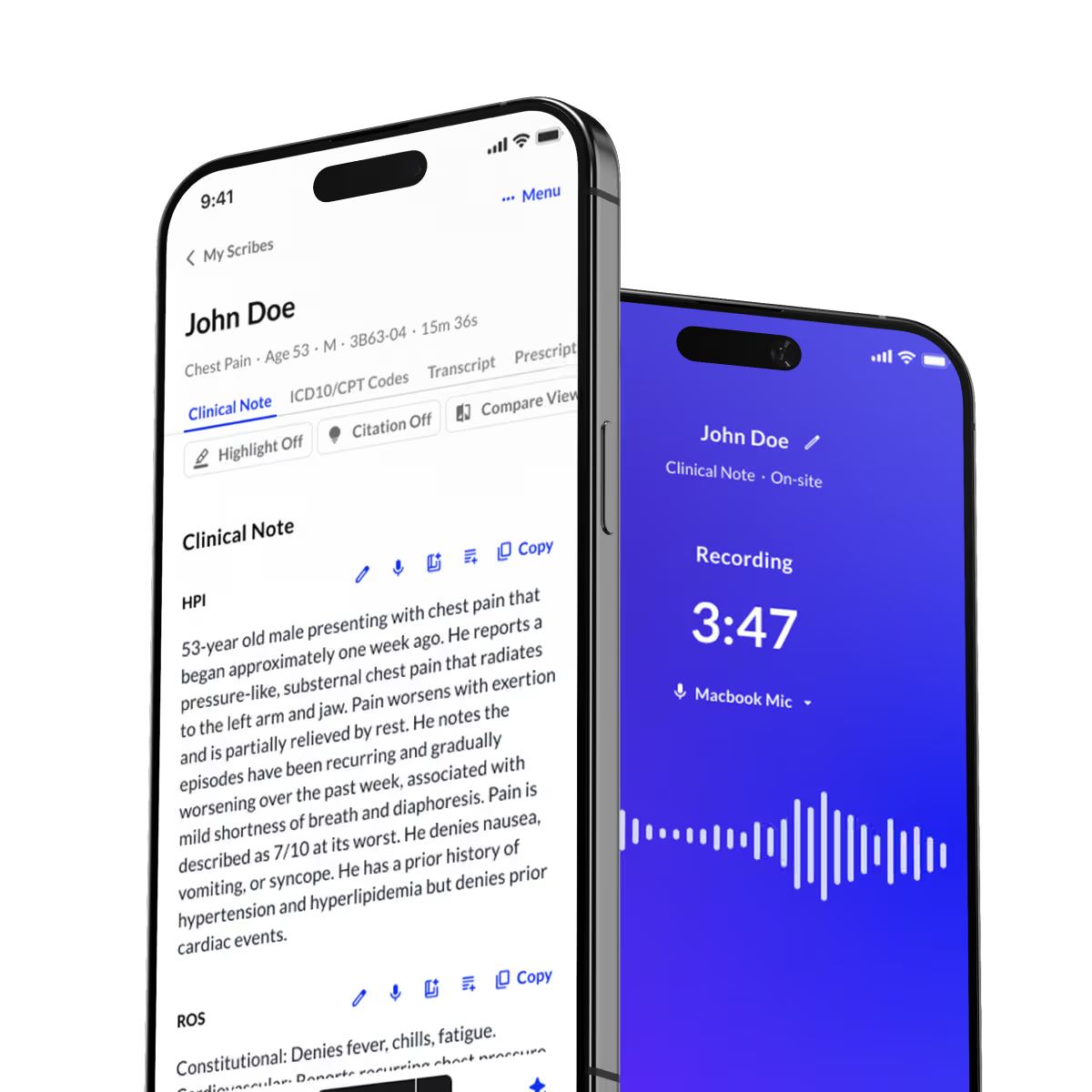
DEEP CERNER INTEGRATION
A comprehensive, bidirectional connection with Cerner
Patient context flows in automatically. Structured note content writes back exactly where it belongs, whether you’re working in DynDoc or PowerNote. No manual syncing or extra steps.

DynDoc
The AI note writes itself into the right DynDoc fields automatically. You review, you sign, you're done.
PowerNote
Save your note as a draft and pick up where you left off. Your progress is preserved until you're ready to finalize.
END-TO-END WORKFLOW
From waiting room to signed note, fully connected
Every step of the encounter is tied to the right Cerner context, so nothing falls through the cracks.
Select Patient
Choose from scheduled appointments, patient list, or walk-ins.
Pre-chart
Review pre-visit summaries pulled from Cerner before the encounter.
Record Visit
Ambient capture starts with a tap. Real-time transcription runs in the background.
Review Note
AI-generated note with structured sections is ready within seconds.
EHR Sync
Draft sections automatically populate DynDoc components or PowerNote fields.
Sign in Cerner
Finalize and sign directly in PowerChart. No duplicate entry.
UNMATCHED CUSTOMIZATION
AI that documents the way you do
Every clinician documents differently. Commure Ambient adapts at the provider level, not just the specialty. Configure AI output by care setting, specialty, or individual preference. Set carry-forward rules for prior notes and save edited notes as reusable templates.
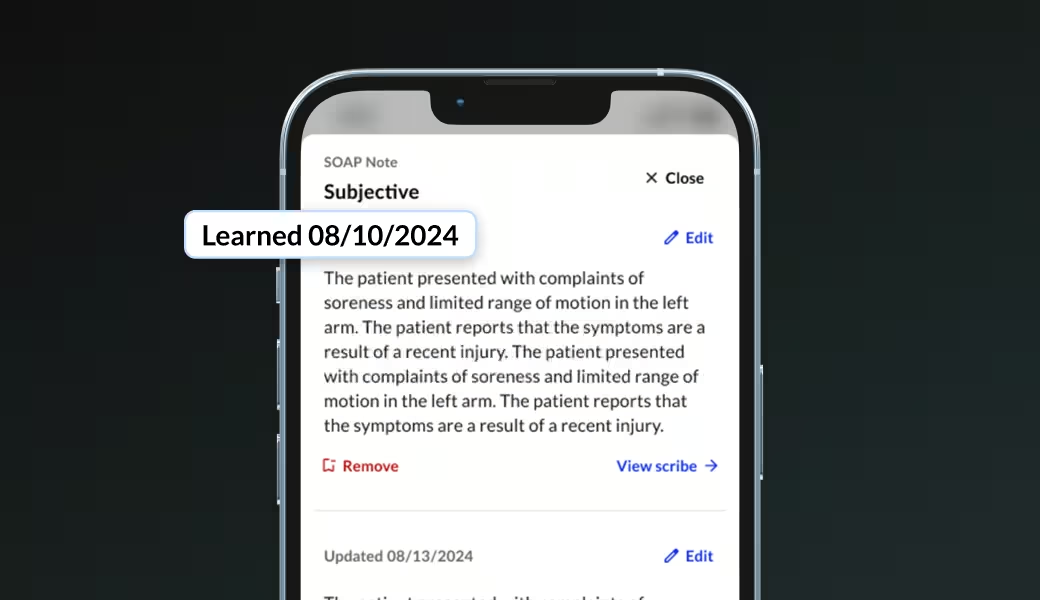
Configure output per specialty, care setting, or individual clinician. The AI learns your formatting over time.

Orthopaedics, psychiatry, internal medicine, GI, OB/GYN, cardiology, and more—structured and narrative styles supported.
BEYOND THE NOTE
Documentation connected to the full revenue cycle
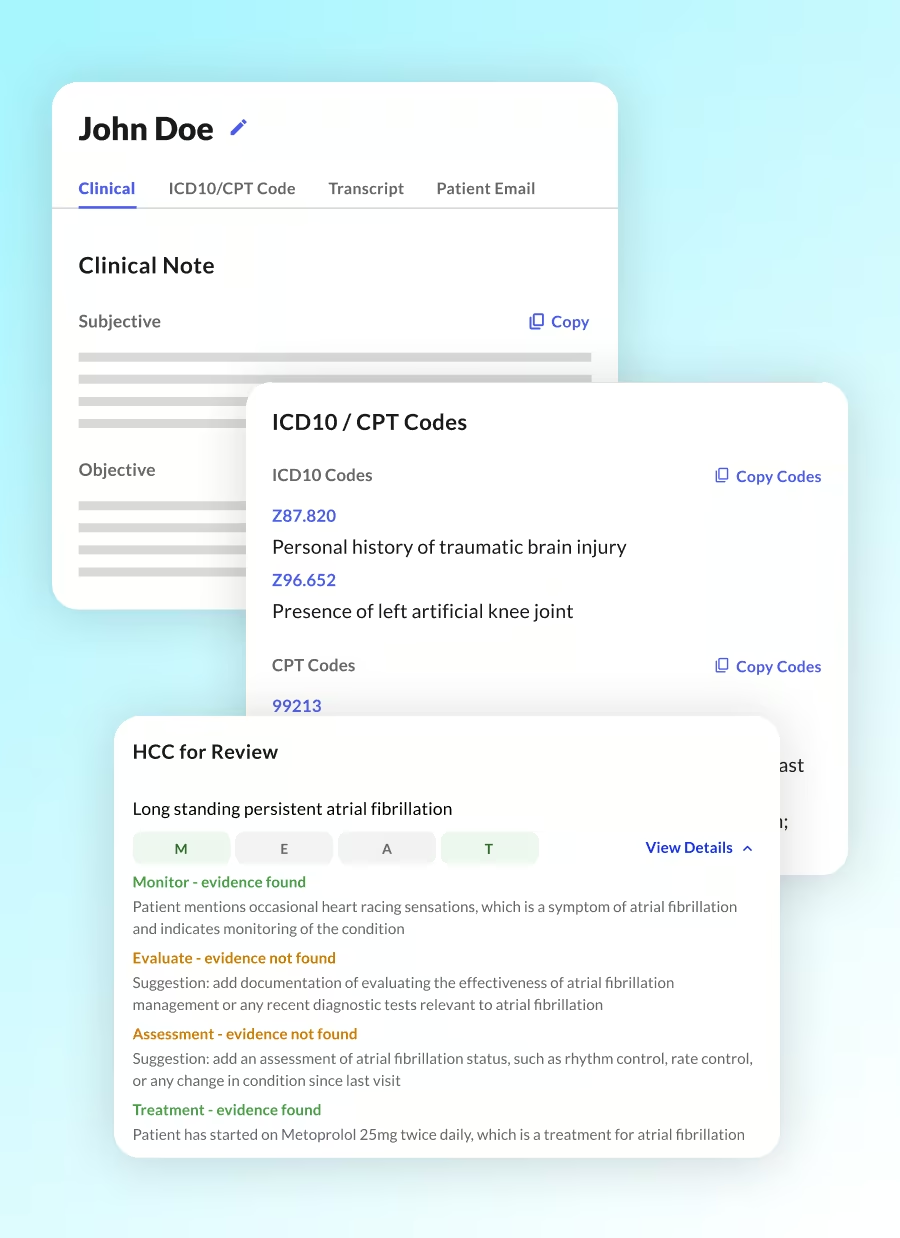
Most ambient scribes stop at the clinical note. Commure connects documentation to clinical and financial workflows before and after a patient visit.
Real-time ambient documentation
AI listens, structures, and generates a complete clinical note.
Scalable, modular options
Ambient AI (fully automated)
Ambient Assist (hybrid)
Ambient Live (fully staffed)
Multilingual support
60+ languages and dialects supported out of the box.
AI Assistant
Responds to provider queries in real time with context of the full patient record.
Autonomous coding
CPT and ICD-10 suggestions generated directly from the clinical narrative.
DEEP CERNER INTEGRATION
Built for clinic, the ED, and the hospital floor
Optimized for ambulatory care and purpose-built for the full hospital environment. Commure Ambient is already deployed at HCA and Tenet across ED and inpatient settings.
Ambulatory
Pre-charting, scheduling integration, full note sync
Emergency Department
MDM+ module for medical decision-making and CDI within FirstNet
Inpatient / Hospitalist
CareCues - real-time clinical nudges at the point of care
ACCESS EVERYWHERE
Works on every device. No hardware required.
No IT-heavy deployment. Your team can be up and running without touching existing infrastructure.
Mobile
iOS and Android
Web
Any browser, any workstation
Browser Extension
Lightweight, always available
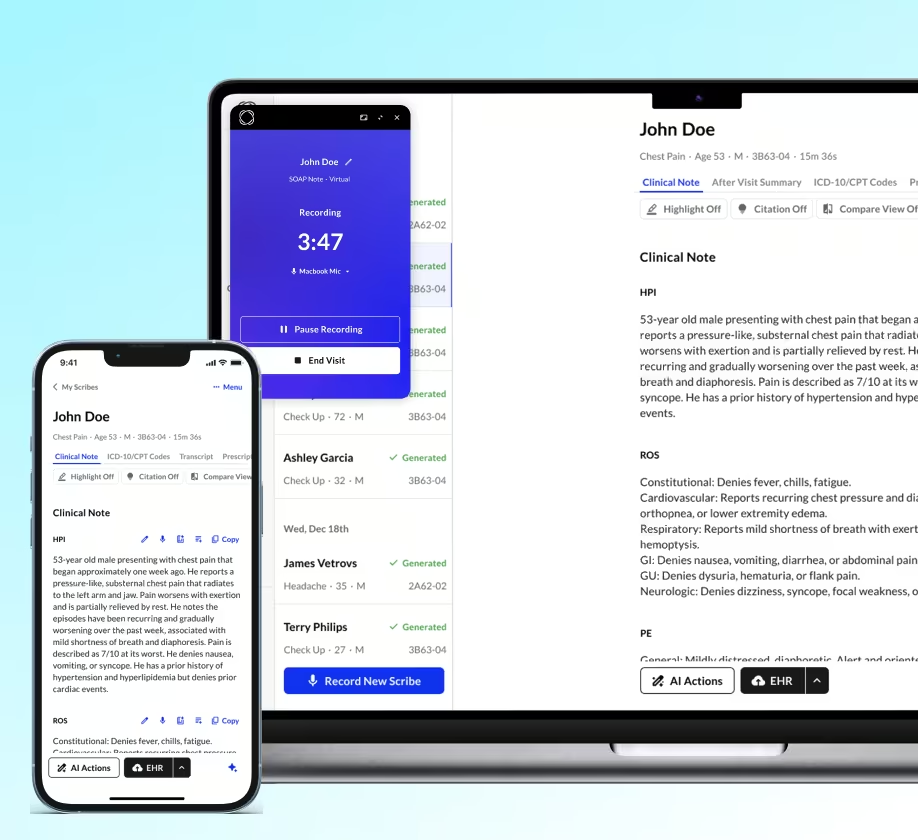
See Commure Ambient live in your Cerner environment
Request a personalized demo and watch Commure Ambient work inside your actual Cerner instance—from pre-charting through signed note.